DobroDesk · Live
Why we build DobroDesk on Cloudflare Workers
DobroDesk puts email, website chat and in-app support in shared inboxes. A teammate can read the history, see the customer details and take over from AI when needed. We build it on Cloudflare Workers. Here is how that works when a customer asks for a booking and then needs help from the team.
A booking request in chat
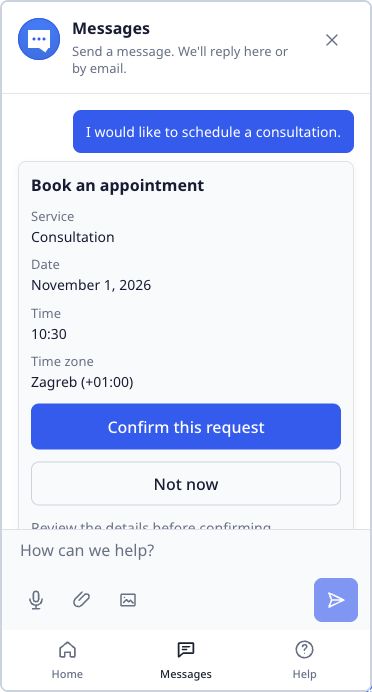
A customer asks to book a consultation. With a booking provider connected and the action configured, DobroDesk can collect the service, date and time, check availability and show a proposed slot. The customer confirms before the booking is completed. Sometimes the request changes halfway through. The customer may need a different service, or the provider may fail to return an answer. A teammate can then take over with the details already collected in the conversation. That handoff matters. The customer should not have to explain the request again, and the teammate needs to know what was tried and what still needs attention.
Where the messages go
A booking request has more than a few chat messages. There is a customer, a conversation history and the result of the action. We keep that support data in the workspace's Durable Object, using SQLite. D1 holds shared account and routing information. R2 stores files, including email attachments. This keeps the conversation data together without putting large files in the same database. Some work continues after a message arrives. An email needs parsing, a reply needs sending and a failed delivery may need another attempt. We use Cloudflare Queues for those jobs. A customer can send a message while the service handles the next steps in the background. Retries need care too. Receiving a provider event twice should not create two conversations, and retrying a reply should not send it twice. Those are the kinds of cases we check when changing the flow.
AI and the team share the conversation
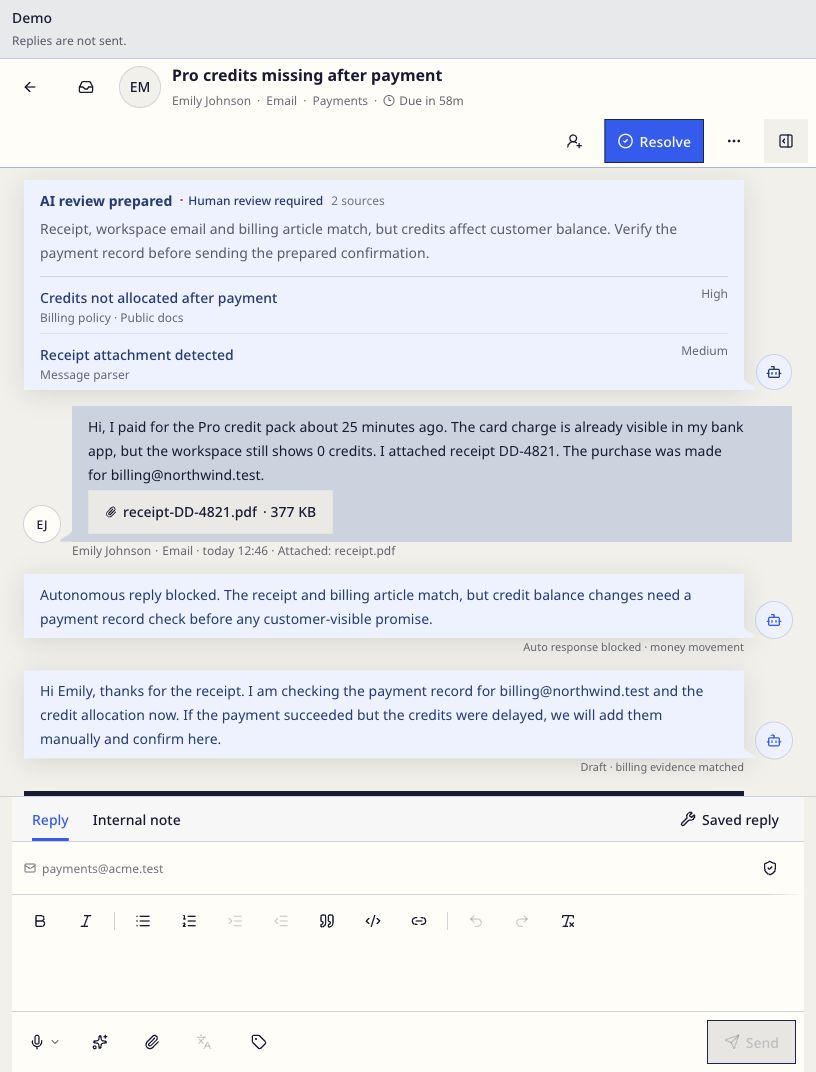
AI can prepare a reply for review or answer routine questions automatically when the workspace enables that mode. It uses the knowledge and rules the team has configured. Sensitive or uncertain requests go to a person. The booking action follows the same approach: it can complete the configured steps after confirmation, while a teammate handles the cases that need a decision. For the support team, the useful part is seeing the messages, customer details and action results together. They can continue the conversation from that point.
Updating the product while chats are open
A customer may leave a chat open while we release an update. We keep versioned widget files and support the previous running version so an active conversation can continue. We also check restored sessions and conversation history during releases. The Mobile SDK brings native support screens to iOS and Android, with packages for Flutter, React Native, Capacitor and NativeScript. Version 0.2.0 is published. Teams can add support to their app and handle the incoming conversations in DobroDesk. We have also been improving conversation loading and switching in the inbox. We focus on everyday steps, such as opening a conversation and moving to the next one.
Try DobroDesk and read the SDK guides when you are ready to add support to a mobile app.